PDF
LLC
Contracts & Acts
Sign Document Urgently
Upload file, add stamp and signature, download ready PDF. All in browser — no software installation.
SignStamps & Signatures Online
Upload PDF, Word or image — add stamp and signature, download ready PDF in 30 seconds.
Used by · lawyers · sole traders · accountants · HR
How It Works
No installation, plugins, or registration. Open the site and start.
Step 01
Drag PDF, Word or image into the browser window.
Step 02
Upload your stamp or draw a signature by hand.
Step 03
Rotation, scale, transparency — just like on paper.
Step 04
Ready file — send to your counterpart via messenger.
When You Need It
Contracts & Acts
Upload file, add stamp and signature, download ready PDF. All in browser — no software installation.
SignScanner Effect
An electronic file turns into a realistic scan with grain, tilt, and artifacts in seconds.
Try EffectPrivacy
Cover passport, tax ID and other sensitive information with a redaction rectangle — permanently.
Redact DataToolkit
Stamp in PDF
Upload stamp photo — background removed automatically
Sign Online
Draw signature with finger or upload an image
Scanner Effect
Electronic PDF becomes a realistic scan
Redact Data
Hide personal data before sending
Background Removal
Algorithm removes white or colored background
Word, Excel → PDF
Convert DOCX and XLSX to PDF in seconds
How-To
PDF, Word, Excel or image. Drag to window or select from device.
File stays on your deviceUpload photo — background removed automatically. Or draw signature right in the editor.
Rotation · scale · copy to all pagesOne click — file saves in high quality. Optionally add scanner effect.
Multi-page document supportAdd stamp to PDF online — upload document, add stamp, download ready PDF.
Your photo
Background removed
Automatically
No need to cut out stamp in Photoshop or find PNG with transparent background. Upload a regular photo — the algorithm will remove white or colored background and leave only the stamp or signature image.
Try ItBenefits
We've made everything so you can forget about the printer forever.
iPhone, Android — open in browser and start. No apps needed.
All popular formats — contract, invoice, passport scan, acceptance act.
No extra steps: upload → place → download.
Files are processed locally and deleted immediately after download.
Director's, accountant's signature and round stamp — on one page or all.
Save a stamp set and apply to new documents instantly.
70,000+
documents processed
10,000+
active users
99.9%
satisfied customers
30 sec
average time
Examples
Real examples — neat and professional, just like printed.
Service Agreement
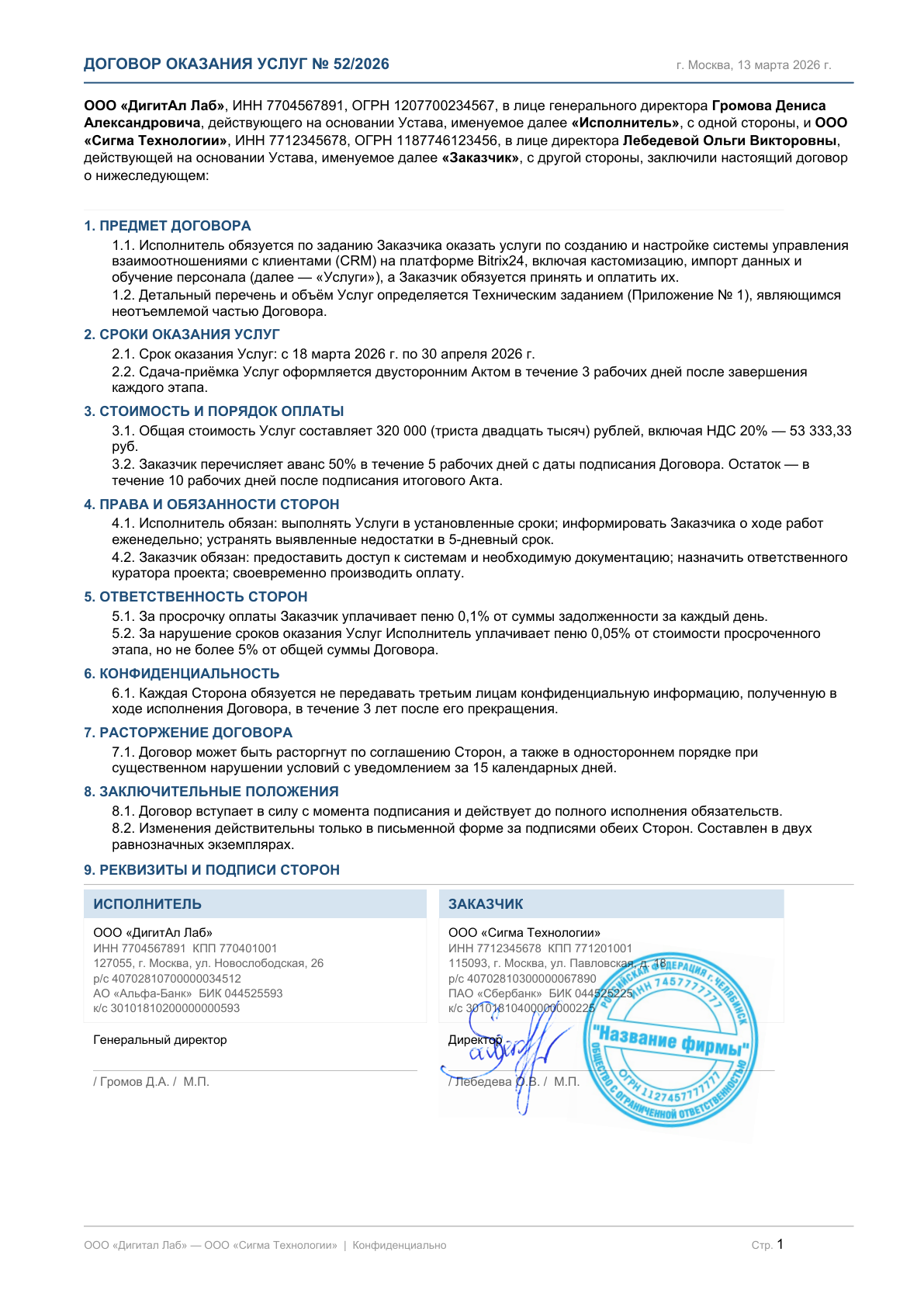
Director's signature + round stamp on the last page
Payment Invoice
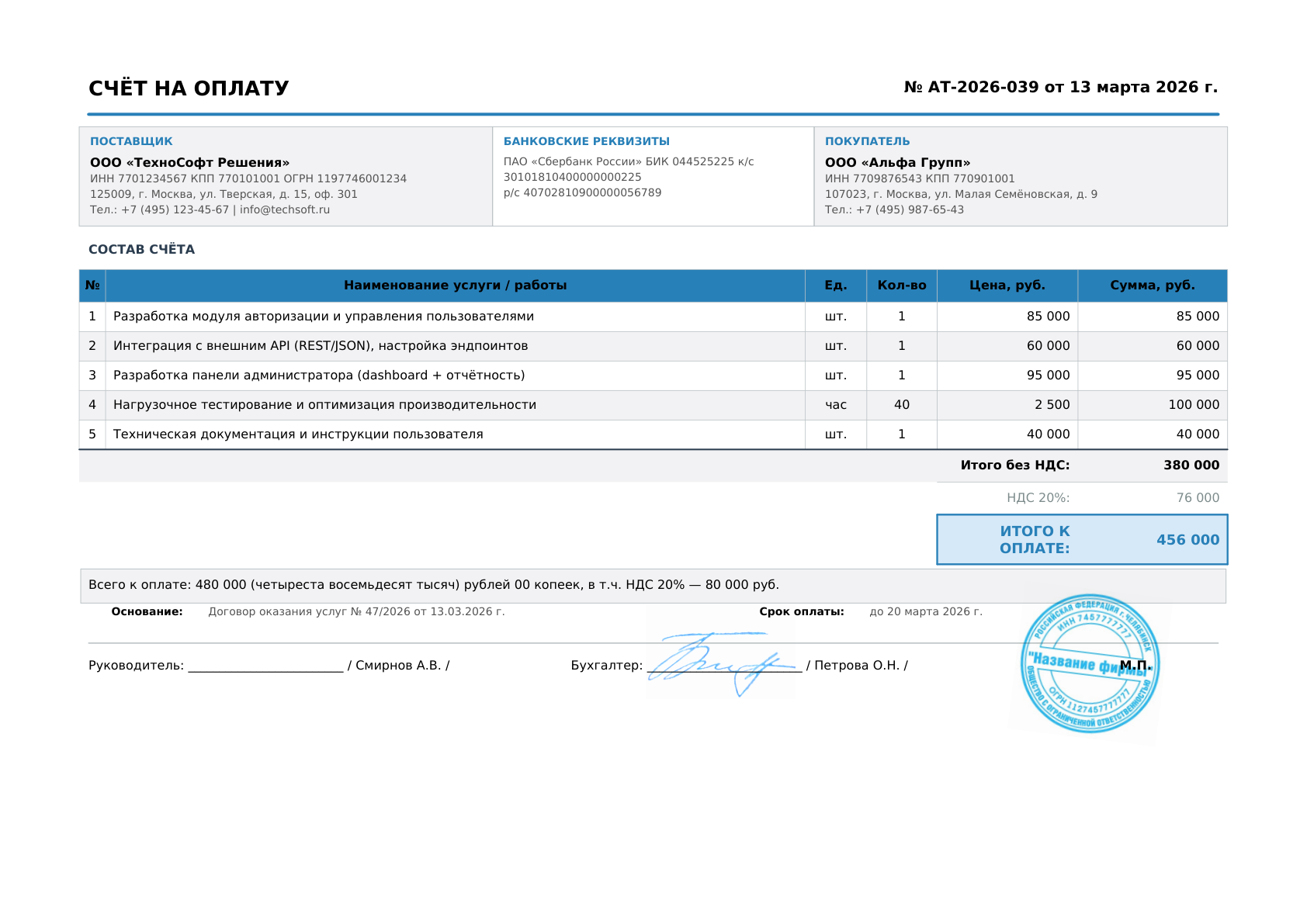
Signature and personal stamp in bottom right corner
Acceptance Act
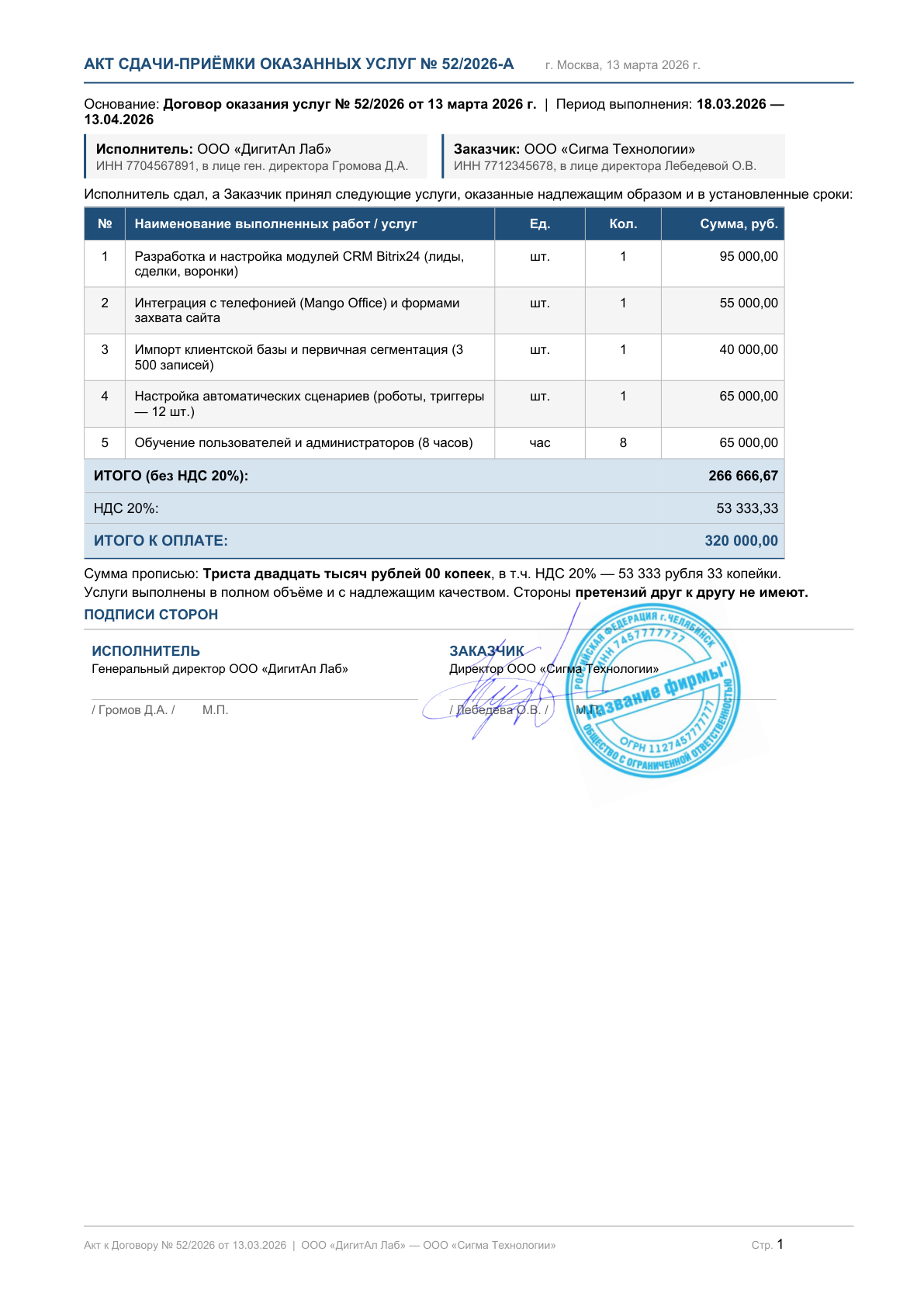
Two signatures on the act — for each party
Who It's For
Counterpart is rushing, printer is far, no scanner. Sound familiar? Stampsig solves it in 60 seconds.
Act arrived at 5:59 PM — signed and sent before end of workday.
Client asks for a contract with stamp right now — you send it in a minute.
On a business trip, on vacation — sign an order from your phone in 30 seconds.
No office, no printer, no scanner — all document flow in the browser.
Pricing
No auto-renewal — money is charged only once.
Free
Try without a card
24 Hours
Fast and affordable
Payment · card · SBP · invoice for legal entities
Reviews
Real reviews without editing.
I work as a remote accountant. Used to ask my husband to print and photograph documents. Now I just open it on my phone — a minute and everything is done.
I'm a sole trader, clients constantly ask for signed acts — I sign in 10 seconds right in Telegram after receiving the PDF. Interface is very simple.
Found it by accident when I urgently needed a lease agreement on a business trip. No printer, no time. Stampsig saved the deal. Now I pay for Pro.
Finally a decent tool without ads and a clunky interface. At $10 a month it is totally worth it. I process about 20 completion certificates per week.
Tried a couple of other services — all inconvenient, ads or paid for everything. Stampsig works as it should, figured it out on the first try without any instructions.
Use it for signing NDAs with clients. Fast, clean, convenient. Would love Google Drive integration — but it is already great.
FAQ
Stampsig overlays a visual stamp image — this is acceptable for internal document flow, sending to counterparts by agreement, and most informal situations. For legally significant digital document flow (tax authorities, courts) use a qualified digital signature.
No. Processing happens in the browser or on servers without saving. Files are deleted immediately after download. Confidentiality is guaranteed.
Free: PDF, Word (.docx), JPG, PNG — up to 100 documents per month. Premium plans add Excel (.xlsx) and scanned/image-based PDFs, plus unlimited documents. Maximum — 50 MB.
Photograph the stamp on a white sheet or upload a PNG with transparent background. The service will automatically remove the background. You can save it for reuse.
Yes, the service is fully adapted for mobile devices. Open the site in Safari or Chrome — works without installing apps.
Yes — the "Apply to all pages" button works on every plan, with optional page range selection.
Free · 100 Documents
Upload a document and see for yourself — it takes thirty seconds.